Full Stack Course with Placement Bangalore
Looking for a practical and career-focused full stack course with placement bangalore? Fast Learning Technologies offers a complete Full Stack Developer training program designed for students
Online/Offline
Mode
3 - 4 Months
Duration
5+Live
Real time projects
Industry Recognized
Certification
About Full Stack Developer Course
Looking for a practical and career-focused full stack course with placement bangalore? Fast Learning Technologies offers a complete Full Stack Developer training program designed for students, fresh graduates, working professionals, career switchers, and anyone who wants to build strong skills in frontend development, backend development, databases, APIs, real-time projects, and software development workflows.
Bangalore is one of India’s strongest IT and startup hubs. Companies in the city need skilled developers who can build complete web applications, business platforms, dashboards, admin panels, e-commerce systems, portals, and software products. A full stack developer is valuable because they understand both the user-facing side and the server-side logic of an application.
At Fast Learning Technologies, our Full Stack Course in Bangalore is designed to help learners understand how modern web applications are planned, designed, developed, connected, tested, and deployed. The course covers frontend technologies, backend programming, database handling, API concepts, real-time project development, resume preparation, and interview support.
Whether you are a beginner or someone with basic coding knowledge, this course helps you move step by step toward becoming a job-ready full stack developer.
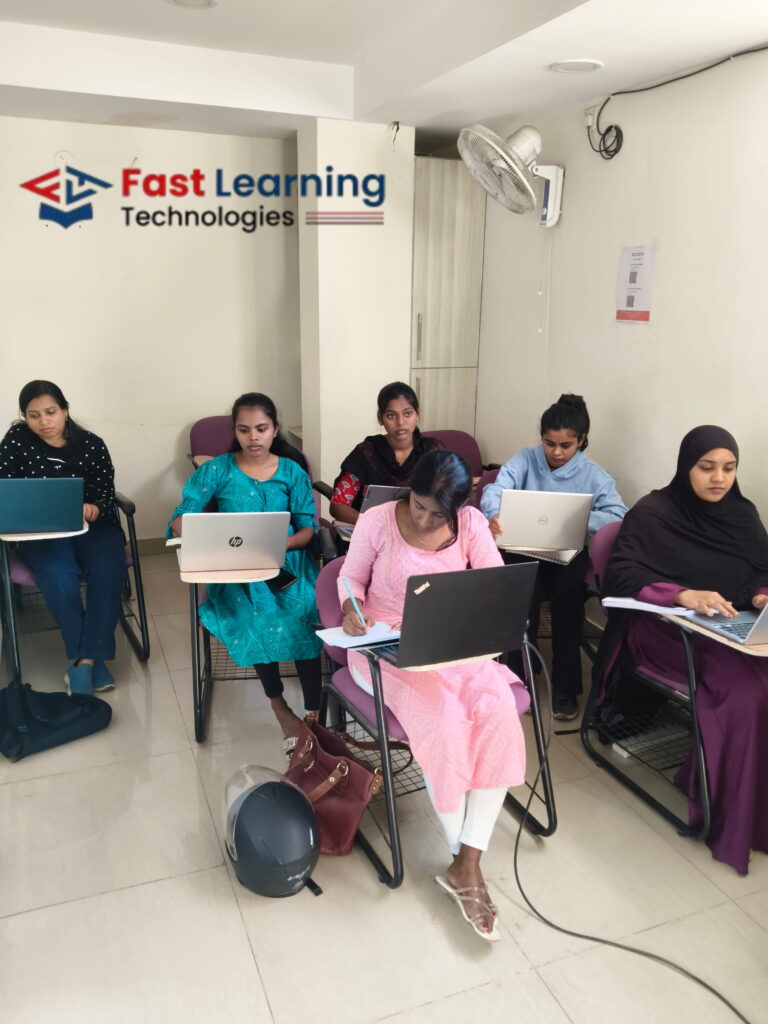
What Makes Fast Learning Technologies a Trusted Choice?
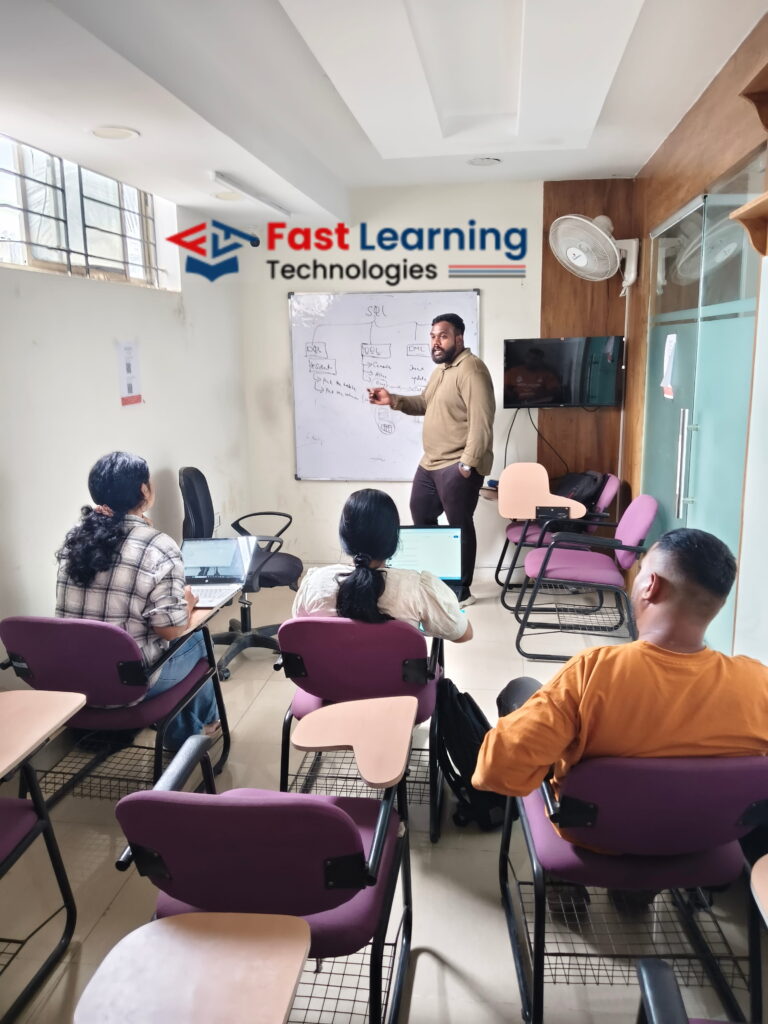
Fast Learning Technologies focuses on practical training, simple explanations, and placement-oriented learning. Many learners want to become software developers but feel confused about where to start. Some students only learn frontend but do not understand backend. Some learn programming but do not know how to build real applications. Some working professionals want to switch careers but need a structured learning path.
Our full stack training solves this problem by connecting every important part of web development into one clear learning journey. Students learn how websites are created, how users interact with pages, how backend logic works, how data is stored, how APIs connect systems, and how complete applications are built.
The goal is not just to teach coding syntax. The goal is to help students understand real development work.
A full stack developer should be able to think logically, write clean code, design user-friendly interfaces, manage data, solve problems, and understand project requirements. Fast Learning Technologies trains students with this complete development mindset.
What Makes Our Full Stack Course Different?
Our full stack course focuses on:
- Beginner-friendly web development concepts
- Frontend development with practical examples
- Backend programming and application logic
- Database handling and SQL concepts
- API basics and integration workflow
- Real-time project-based training
- Coding assignments and guided practice
- Resume and interview preparation
- Placement-oriented career support
- Bangalore-focused job market guidance
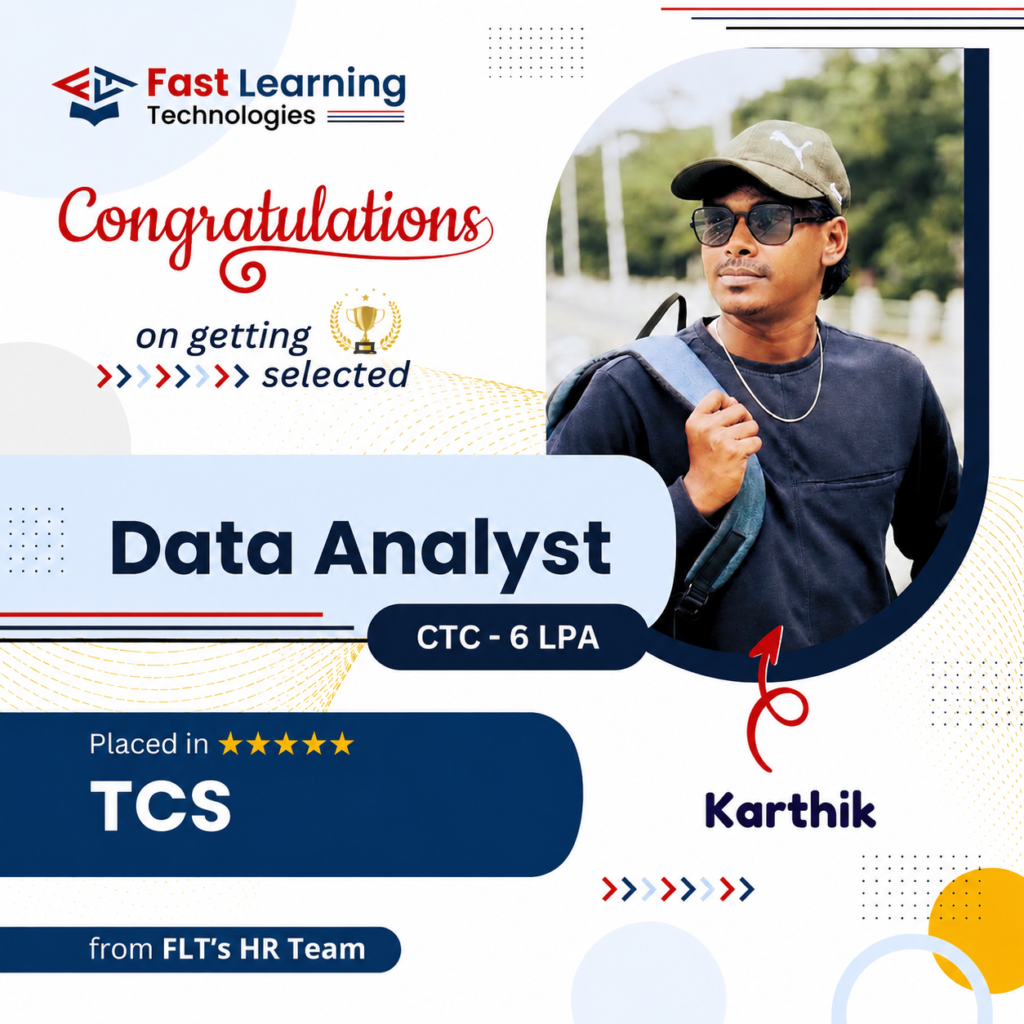
Our Alumni's Are Placed At


Course Curriculum
Module 1: Introduction to Full Stack Development
- What is Full Stack Development?
- Frontend vs Backend Development
- Web Development Architecture
- Career Scope & Opportunities.
Module 2: Frontend Development
Syllabus for Front End
HTML5
Introduction
- What Is HTML
- Why and Where to use HTML
- Examples
Basic Tags, Styles and Attributes
- Headings
- Elements
- Paragraph H
- Fonts
- Formatting
- Tables
- Lists
- Classes
- ID
- File Paths
- Head
- Layout
- Links and URL encoder
- Images
- Doctypes
Form, HTML JavaScript and Validation
- Basic Form and examples
- Form Elements
- Iframes
Input Types and attributes
- JavaScript
- Validate Form fields
- Responsive
HTML5
- Introduction
- What is the difference between HTML4 and HTML5
- Advantages and Browser Support
- HTML5 DOCTYPE
- Page encoding
- HTML5 Mark-up
- Developer tools
HTML Graphics and Media
- Canvas and SVG
- Audio and video tags
- Media Tags
- Object
- Plug-ins
APIs
- Geolocation
- Drag and drop
- Web storage
CSS3
Introduction
- What is CSS
- Types of CSS
- Advantages of CSS
- Example
Styling
- Colors, Backgrounds, Borders and Margins
- Text, Fonts, Icons
- Position, overflow and Float
- Alignment
- Padding
- Pseudo class and element
- Form styling
- Page Styling
- Styling Tables, Links and Lists
Effects
- Gradients
- Animation
- 2d and 3d Transforms
- Flex box
- Grid
JavaScript
Introduction
- How Our Code Is Executed: JavaScript Parsers and Engines
- Variables and Data Types
- Variable mutation and Type Coercion
- Boolean Logic
String Built-in Methods
- CharAt()
- CharCode(){Unicode}
- Concat()
- Repeat()
- Includes()
- Match()
- Replace()
- Search()
JS Arrays & Operations
- Shift & Unshift
- Push
- Pop
- Splice
- Slice
- Concat
- Array methods
- Array sort
- Array iteration
JS Statements & Error handling
- If/else Statements
- Loops and iteration
- Exception handling(try, catch, finally, throw)
JS Objects & its properties
- Objects introduction
- Objects and properties
- Objects and methods
JS Operators
- Basic operators introduction
- Ternary operators
JS Functions
- Function definition and parameters
- Function invocation
- Function call and apply
- Function closures
Events in Javascript
- Onclick
- Onchange
- Onmouseover
- Onmouseout
- Onkeydown
- Onload
- Event Listener (one time)
- Add Event Listener (multiples)
JavaScript ‘this’ keyword & Hoisting
- Execution Contexts and the Execution Stack
- Execution Contexts in Detail: Creation and Execution Phases and Hoisting
- Hoisting in Practice
- Scoping and the Scope Chain
- The ‘this’ Keyword
- The ‘this’ Keyword in Practice
JS HTML DOM
- Intro
- Methods
- Document object
- Elements
JS Browser BOM
- Screen
- Location
- History
- Navigator
- Popup Alert
- Timing
- Cookies
- Events
Json
- Introduction Json
- What is Json
- Json vs XML
- JSON Example
- JSON object
- JSON Array
JS AJAX
- Ajax introduction
- Ajax XMLHttp
- Request & Response
- Ajax XML file
- Ajax application and example
REACT JS
Introduction To React & JSX
- Origins of React
- js Syntax
React Components
- Overview of JSX and why you should use it
- Getting hold of everything you need to start coding
- React component Properties
- Setting Properties
- Component Lifecycle
- Updating Components
- Writing your first React.js component
- Mounting Components
JSX
- Expressions & Attributes
- JSX Basics
- Namespaced Components
- Rendering HTML
- Rendering React Components
Flux
- Views & Controller-Views
- Flux is not MVC!
- Data Flow
- Action, Dispatcher, Store & View
- Flux Application Architecture
- Structure
Event Handling In React
- Key Events
- Event Pooling
- js Event Handlers
- Synthetic Event
Creating A Dynamic UI In React
- Event Delegation
- Keeping components stateless
- React Stateful Components
- Auto binding
Integration With Other Libraries
- Gulp & Browserify
- React with jQuery
- React & AJAX
React Server Integration & Deployment
- Httpster
- Npm
Module 3: Backend Development
Syllabus for Back End
Python
An Introduction to Python
- What can Python do?
- Why Python?
- Good to know
- Python Syntax compared to other programming languages
- Python Install
Beginning Python Basics
- The print statement
- Comments
- Python Data Structures & Data Types
- String Operations in Python
- Simple Input & Output
- Simple Output Formatting
- Operators in python
Python Program Flow
- Indentation
- The while loop
- The for loop
- The range statement
- Break &Continue
- Assert
- Examples for looping
Functions& Modules
- Create your own functions
- Functions Parameters
- Variable Arguments
- Scope of a Function
- Function Documentation
- Lambda Functions& map
- n Exercise with functions
- Create a Module
- Standard Modules
Exceptions Handling
- Errors
- Exception handling with try
- handling Multiple Exceptions
- Writing your own Exception
File Handling
- File handling Modes
- Reading Files
- Writing& Appending to Files
- Handling File Exceptions
- The with statement
Classes In Python
- New Style Classes
- Creating Classes
- Instance Methods
- Inheritance
- Polymorphism
- Exception Classes & Custom Exceptions
Generators and iterators
- Iterators
- Generators
- The Functions any and all
- With Statement
- Data Compression
Data Structures
- List Comprehensions
- Nested List Comprehensions
- Dictionary Comprehensions
- Functions
- Default Parameters
- Variable Arguments
- Specialized Sorts
Collections
- namedtuple()
- deque
- ChainMap
- Counter
- OrderedDict
- default dict
- UserDict
- UserList
- user string
ADVANCE PYTHON
Writing GUIs in Python (Tkinter)
- Introduction
- Components and Events
- An Example GUI
- The root Component
- Adding a Button
- Entry Widgets
- Text Widgets
- Check buttons
Python SQL Database Access
- Introduction
- Installation
- DB Connection
- Creating DB Table
- INSERT, READ, UPDATE, DELETE operations
- COMMIT & ROLLBACK operation
- handling Errors
Network Programming
- Introduction
- A Daytime Server
- Clients and Servers
- The Client Program
- The Server Program
Date and Time
- sleep
- Program execution time
- more methods on date/time
- Few more topics in-detailed
- Filter
- Map
- Reduce
- Decorators
- Frozen set
- Collections
- Regular expression
- Split
- Working with special characters, date, emails
- Quantifiers
- Match and find all
- character sequence and substitute
Module 4: Database
Syllabus of Database
Oracle SQL
Introduction to Oracle Database
- List the features of Oracle Database 11g
- Discuss the basic design, theoretical, and physical aspects of a relational
database - Categorize the different types of SQL statements
- Describe the data set used by the course
- Log on to the database using SQL Developer environment
- Save queries to files and use script files in SQL Developer
Retrieve Data using the SQL SELECT Statement
- List the capabilities of SQL SELECT statements
- Select All Columns
- Select Specific Columns
- Generate a report of data from the output of a basic SELECT statement
- Use Column Heading Defaults
- Use Arithmetic Operators
- Understand Operator Precedence
- Learn the DESCRIBE command to display the table structure
Learn to Restrict and Sort Data
- Write queries that contain a WHERE clause to limit the output retrieved
- List the comparison operators and logical operators that are used in a WHERE clause
- Describe the rules of precedence for comparison and logical operators
- Use character string literals in the WHERE clause
- Write queries that contain an ORDER BY clause to sort the output of a SELECT statement
- Sort output in descending and ascending order
Usage of Single-Row Functions to Customize Output
- Manipulate strings with character function in the SELECT and WHERE clauses
- Manipulate numbers with the ROUND, TRUNC, and MOD functions
- Perform arithmetic with date data
- Manipulate dates with the DATE functions
Invoke Conversion Functions and Conditional Expressions
- Describe implicit and explicit data type conversion
- Use the TO_CHAR, TO_NUMBER, and TO_DATE conversion functions
- Nest multiple functions
- Apply the NVL, NULLIF, and COALESCE functions to data
Aggregate Data Using the Group Functions
- Use conditional IF THEN ELSE logic in a SELECT statement
- Use the aggregation functions in SELECT statements to produce meaningful reports
- Divide the data in groups by using the GROUP BY clause
- Exclude groups of date by using the HAVING clause
Display Data From Multiple Tables Using Joins
- Write SELECT statements to access data from more than one table
- View data that generally does not meet a join condition by using outer joins
- Join a table by using a self join
Use Sub-queries to Solve Queries
- Describe the types of problem that sub-queries can solve
- Define sub-queries
- List the types of sub-queries
- Write single-row and multiple-row sub-queries
The SET Operators
- Describe the SET operators
- Use a SET operator to combine multiple queries into a single query
- Control the order of rows returned
Data Manipulation Statements
- Describe each DML statement
- Insert rows into a table
- Change rows in a table by the UPDATE statement
- Delete rows from a table with the DELETE statement
- Save and discard changes with the COMMIT and ROLLBACK statements
- Explain read consistency
Use of DDL Statements to Create and Manage Tables
- Categorize the main database objects
- Review the table structure
- List the data types available for columns
- Create a simple table
- Decipher how constraints can be created at table creation
- Describe how schema objects work
Other Schema Objects
- Create a simple and complex view
- Retrieve data from views
- Create, maintain, and use sequences
- Create and maintain indexes
- Create private and public synonyms
Control User Access
- Differentiate system privileges from object privileges
- Create Users
- Grant System Privileges
- Create and Grant Privileges to a Role
- Change Your Password
- Grant Object Privileges
- How to pass on privileges?
- Revoke Object Privileges
Management of Schema Objects
- Add, Modify and Drop a Column
- Add, Drop and Defer a Constraint
- How to enable and disable a Constraint?
- Create and Remove Indexes
- Create a Function-Based Index
- Perform Flashback Operations
- Query External Tables
Manage Objects with Data Dictionary Views
- Explain the data dictionary
- Use the Dictionary Views
- Create an External Table by Using ORACLE_LOADER and by Using
- ORACLE_DATAPUMP
- USER_OBJECTS and ALL_OBJECTS Views
- Table and Column Information
- Query the dictionary views for constraint information
- Query the dictionary views for view, sequence, index and synonym
- information
- Add a comment to a table
- Query the dictionary views for comment information
Manipulate Large Data Sets
- Use Subqueries to Manipulate Data
- Retrieve Data Using a Subquery as Source
- Insert Using a Subquery as a Target
- Usage of the WITH CHECK OPTION Keyword on DML Statements
- List the types of Multitable INSERT Statements
- Use Multitable INSERT Statements
- Merge rows in a table
- Track Changes in Data over a period of time
Data Management in Different Time Zones
- CURRENT_DATE, CURRENT_TIMESTAMP, and LOCALTIMESTAMP
- DBTIMEZONE and SESSIONTIMEZONE
- Difference between DATE and TIMESTAMP
- INTERVAL Data Types
- Use EXTRACT, TZ_OFFSET and FROM_TZ
- Invoke TO_TIMESTAMP,TO_YMINTERVAL and TO_DSINTERVAL
Retrieve Data Using Sub-queries
- Multiple-Column Subqueries
- Pairwise and Nonpairwise Comparison
- Scalar Subquery Expressions
- Solve problems with Correlated Subqueries
- Update and Delete Rows Using Correlated Subqueries
- The EXISTS and NOT EXISTS operators
- Invoke the WITH clause
- The Recursive WITH clause
Regular Expression Support
- Use the Regular Expressions Functions and Conditions in SQL
- Use Meta Characters with Regular Expressions
- Perform a Basic Search using the REGEXP_LIKE function
- Find patterns using the REGEXP_INSTR function
- Extract Substrings using the REGEXP_SUBSTR function
- Replace Patterns Using the REGEXP_REPLACE function
- Usage of Sub-Expressions with Regular Expression Support
Module 5: API Development & Integration
- REST API vs GraphQL
- Building APIs with Express & Django
- API Authentication (JWT, OAuth)
- API Rate Limiting & Security
- WebSockets for Real-Time Applications.
Module 6: Version Control & Collaboration
- Git & GitHub Basics
- Branching, Merging & Pull Requests
- Working with Open-Source Projects
- GitHub Actions for CI/CD
Final Projects
- Two – Hands-on Industry Projects
- Resume & LinkedIn Optimization
- Deploying & Hosting Projects
- Mock Interviews & Placement Assistance
Hands-On Projects to Strengthen Your Portfolio
E-Commerce Shopping Website with Admin Dashboard
Tools Used: React, Node.js, MongoDB, Express.js
Online Job Portal and Recruitment Management System
Tools Used: Angular, Node.js, MySQL
Real-Time Chat and Video Calling Application
Tools Used: React, Socket.io, Node.js, MongoDB
Hospital Management Web Application
Tools Used: React, Spring Boot, MySQL
Learning Management System (LMS) Platform
Tools Used: React, Django, PostgreSQL
Online Food Delivery and Restaurant Management System
Tools Used: React, Node.js, MongoDB
AI-Based Resume Builder and Portfolio Website
Tools Used: HTML, CSS, JavaScript, Firebase
Banking and Online Transaction Management System
Tools Used: Angular, Spring Boot, SQL
Social Media Application with Real-Time Notifications
Tools Used: React, Firebase, Node.js
Event Booking and Ticket Reservation Web Platform
Tools Used: React, Node.js, MySQL
Trainer profile

Tharan
Full Stack Developer, 10 years experience: Expert in front-end and back-end development, building scalable web applications.
Ajay Kumar
Full Stack Developer, 8 years experience: Skilled in full-stack solutions, API integration, and responsive design.
Akash
Full Stack Developer, 10 years experience: Experienced in database management, server-side logic, and web architecture.
Pavan
Full Stack Developer, 9 years experience: Proficient in cloud-connected applications, user interface design, and performance optimization.
Bharath
Full Stack Developer, 8 years experience: Strong in application development, debugging, and modern web frameworks.
Course batch schedule
| Date | Course | Batch | Timings |
|---|---|---|---|
| 22 Jul | Python | New Batch | 8 AM - 9 AM |
| 22 Jul | SQL | New Batch | 6 PM - 7 PM |
| 27 Jul | Excel | New Batch | 9 AM - 10 AM |
| 27 Jul | Power BI | New Batch | 2 PM - 3 PM |
| 29 Jul | AWS | New Batch | 5 PM - 6 PM |
| 29 Jul | Frontend | New Batch | 10 AM - 11 AM |
| 03 Aug | Linux | New Batch | 4 PM - 5 PM |
| 05 Aug | Data Science | New Batch | 8 AM - 9 AM |
| 05 Aug | Machine Learning | New Batch | 5 PM - 6 PM |
| 10 Aug | AI | New Batch | 8 AM - 9 AM |
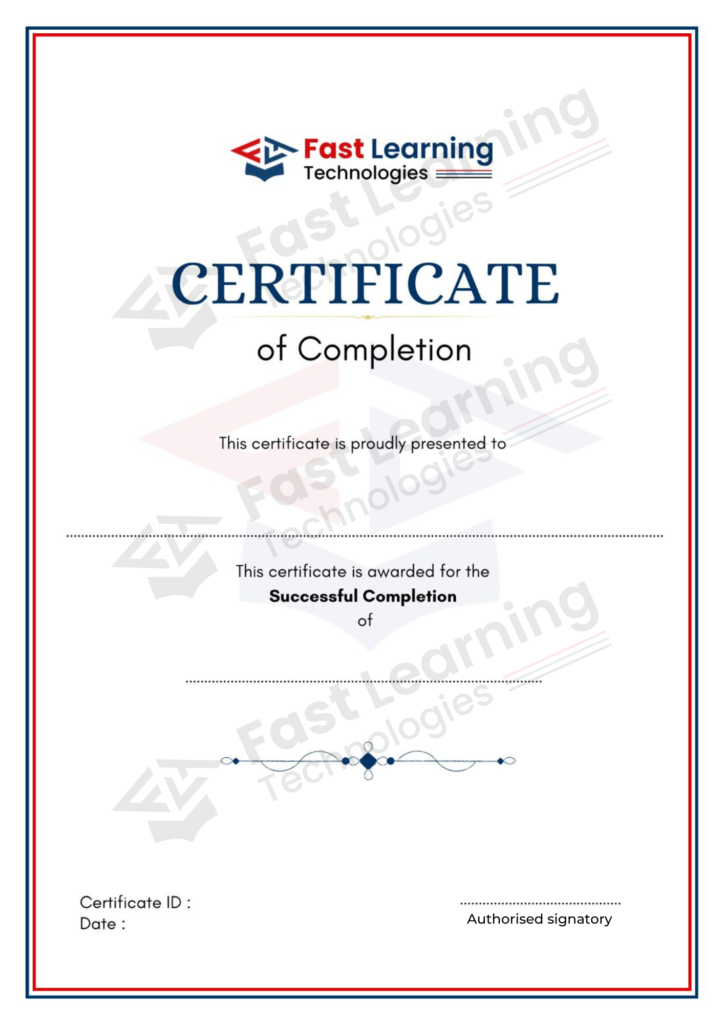
Get Certified & Prove Your Industry Readiness
All major global multinational corporations accept our certification. We provide after completion of the theoretical and practical sessions to fresher’s as well as corporate trainees, by earning this certification, which is provided at the conclusion of the course.
You can increase the importance of your profile during interviews and gain access to a wide range of professional opportunities by combining this certificate with your CV.
The certification is only given upon the successful completion of our training and project-based projects with a practical component.
200+
Placed
Rs. 4.5 LPA
Average Salary
50+
Companies
100%
Guaranteed interviews
Students Placements



EXCELLENTTrustindex verifies that the original source of the review is Google. I was looking for a training institute that provides both course training and internship opportunities, and Fast Learning Technologies was the right choice. The trainers are knowledgeable and supportive. The hands-on training, real-time projects, internship experience, and placement assistance helped me improve my skills and confidence. Highly recommended for anyone looking to start a career in IT.Posted on GoogleTrustindex verifies that the original source of the review is Google. I was searching for a Data Analytics course and found Fast Learning Technologies. One of the best institutes for learning with hands-on training. They also provide internship opportunities. I completed my Data Analytics internship here and gained practical experience through real-time projects. The trainers are supportive and the learning environment is excellent. Highly recommended for anyone looking to start a career in Data Analytics.Posted on GoogleTrustindex verifies that the original source of the review is Google. One of the best institutes for learning Python with hands-on training. They also provide Python internship opportunities, which helped me gain practical experience and improve my skills. The trainers are supportive, and the training includes real-time practice. Highly recommended for students and job seekers looking to build a career in Python.Posted on GoogleTrustindex verifies that the original source of the review is Google. Cloud and DevOps course is very informative and practical. Trainers provide hands-on training with real-time scenarios. The HR team support is good for placements. Best IT training in Nagawara.Posted on GoogleTrustindex verifies that the original source of the review is Google. Currently learning Data Science, the trainers are knowledgeable, approachable. The class rooms are well arranged with enough chairs and boards also equipped with Big monitors for explanation. The management and staff are professional, kind and approachable also knowledge about the courses. The demo class with Kiran is honest with career councelling and opportunities also structure of the course. My overall experience far is amazing.Posted on GoogleTrustindex verifies that the original source of the review is Google. I joined Data Analytics training near Manyata Tech Park after a long career gap. Kiran sir motivated me and provided excellent hands on training. Real time projects helped me rebuild my confidence. Best data analytics training in bangalore manyata tech park.Posted on GoogleTrustindex verifies that the original source of the review is Google. Joined fot Data anlyst course. Demo classes were provided. The trainers are knowledgeable, The class rooms are equipped with advanced technology, Air conditioning (even if students visit for practice purpose). Staff is professional and well knowledgeable about courses and most importantly they are patient enough to listen and understand to us and well approachable.Posted on GoogleTrustindex verifies that the original source of the review is Google. HR team support is very good, they guided me during placement
Full Stack Developer Course Fee and Duration
Classroom Sessions
30,000/- Offer price
- Fees payable in up to 3 installments
- 0% Interest EMI – Pay in Easy Installments (though education financing partners)
- Cost-effective courses with high ROI, making it worth every penny you invest.
Students Review
Fast Learning Technologies offers the best Data Analytics training in Bangalore. I enrolled in their program to enhance my skills in this field, and I was able to learn everything in depth. I would like to thank the entire team at Fast Learning Technologies for their support. I highly recommend this training to my friends. Thank you.

Surya
My Honest Review. Joined Fast Learning Technologies with Zero Knowledge on SQL but after completing the course i can confidently say that I gained lot of knowledge on SQL. Trainers here are best in the industry. I will never have a second thought to refer any of my friends to this institute. Keep doing good

Saravana Natraj
This is a very good institute with excellent facilities, and I am confident that everyone will find a job after completing their training. The practical classes are beneficial, and the instructor covered all the material with impressive presentation skills. I highly recommend this institute, especially for those not in the IT field.

Lalith Kumar
Frequently Asked Questions (FAQ)
Fast Learning Technologies offers a practical full stack course with placement support in Bangalore. The course covers frontend development, backend programming, databases, APIs, real-time projects, resume guidance, and interview preparation.
Yes. Beginners can join this course. The training starts with basic web development concepts and gradually moves into frontend, backend, databases, APIs, and project development.
The course may cover HTML, CSS, JavaScript basics, backend programming, SQL, database concepts, CRUD operations, API basics, authentication, Git basics, and real-time project development.
After completing the course and gaining enough practice, you can apply for roles such as Full Stack Developer, Web Developer, Frontend Developer, Backend Developer, Software Developer Trainee, and Application Developer.
Yes. Bangalore has a strong IT, startup, product, and digital business ecosystem. Many companies need developers who can build complete web applications, making full stack development a strong career option.
Yes! Our Full Stack course with placement Bangalore includes
100% placement assistance with resume building, mock interviews,
portfolio development and direct referrals to 200+ hiring
partners. Students from our Full Stack course with placement
Bangalore have been placed in TCS, Infosys, Wipro, Capgemini
and Cognizant.
Yes! Our Full Stack course with placement Bangalore starts from
the basics and is designed for freshers, graduates and working
professionals looking to switch into web development careers.