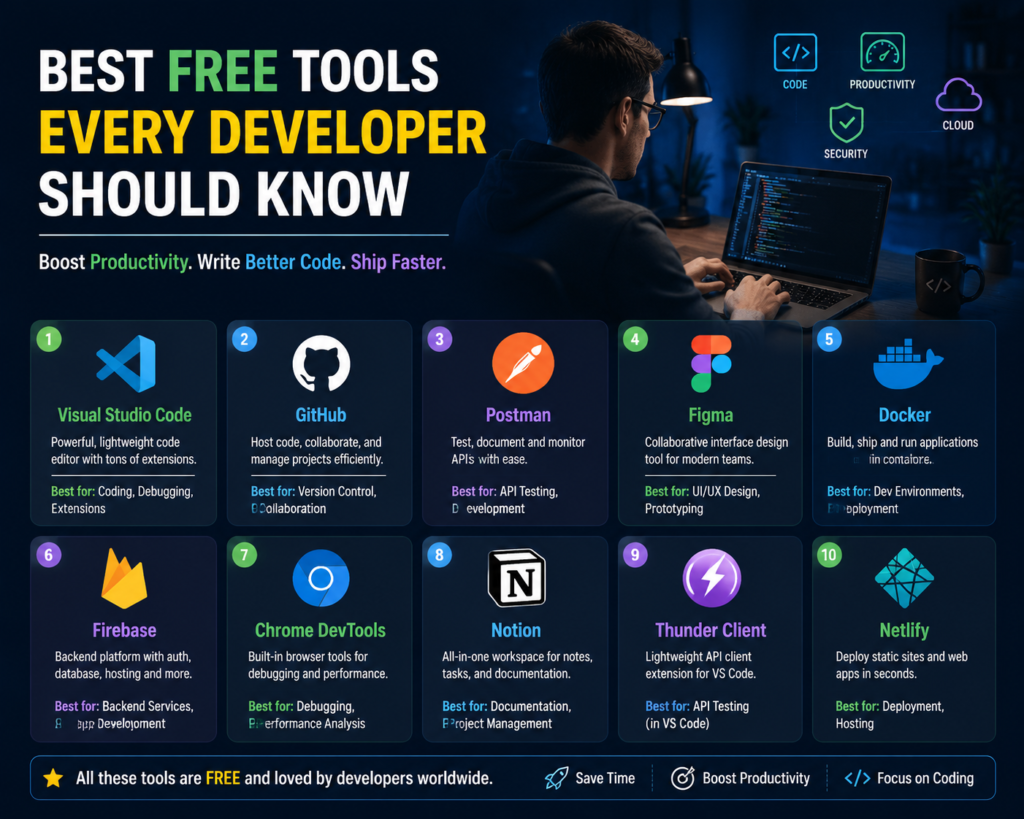
Best Free Tools Every Developer Should Know in 2026
Best Free Tools for Developers That Can Improve Coding, Productivity, and Career Growth
Best free tools for developers can make a huge difference in how quickly and efficiently programmers build software. Today, developers do not need expensive software to start coding, testing applications, managing projects, or learning new technologies.
Many professional developers use free and open-source tools every day to write better code, collaborate with teams, debug problems, and improve productivity.
Whether you are a beginner learning programming or an experienced developer working on professional projects, choosing the right tools can save time and improve your workflow.
At Fast Learning Technologies, we focus on practical technology skills that help learners understand modern development tools and prepare for real-world careers.
In this article, we will explore the best free tools for developers that every programmer should know.
1. Visual Studio Code (VS Code) – Best Free Code Editor
Microsoft created Visual Studio Code, one of the most popular code editors among developers worldwide.
VS Code is free, lightweight, and supports almost every programming language.
Developers use it for:
- Web development
- Python programming
- Java development
- JavaScript projects
- Cloud development
- AI projects
Key Features:
- Smart code suggestions
- Extensions marketplace
- Built-in terminal
- Git integration
- Debugging support
Popular extensions include:
- Live Server
- Python Extension
- Prettier
- GitHub Copilot extension
For beginners and professionals, VS Code is one of the most useful free developer tools available.
2. GitHub – Best Tool for Code Management
GitHub is a platform where developers store, manage, and share their code.
Almost every professional software team uses version control systems.
Why Developers Use GitHub:
- Store projects online
- Track code changes
- Collaborate with teams
- Create portfolios
- Contribute to open-source projects
GitHub is especially valuable for beginners because it allows them to showcase their coding projects to employers.
A strong GitHub profile can improve your chances during job applications.
3. Git – Essential Version Control Tool
Git is one of the most important tools every developer should learn.
It helps programmers manage changes in their code and work with other developers.
Git Helps Developers:
- Save different versions of projects
- Restore previous code
- Work on multiple features
- Collaborate with teams
Common Git commands include:
- git commit
- git push
- git pull
- git branch
Learning Git is an important step for anyone starting a software development career.
4. ChatGPT – AI Assistant for Developers
Artificial intelligence has changed the way developers work.
AI assistants can help programmers write code faster, understand errors, and learn new concepts.
Developers use AI tools for:
- Explaining code
- Finding bugs
- Generating examples
- Learning programming concepts
- Improving documentation
AI does not replace developers. Instead, it helps developers become more productive.
Modern programmers should learn how to use AI tools effectively.
5. Postman – API Testing Tool
Modern applications depend heavily on APIs.
Postman is a free tool that helps developers test and manage APIs.
Developers Use Postman For:
- Sending API requests
- Testing responses
- Debugging API problems
- Creating API documentation
It supports:
- REST APIs
- HTTP requests
- Authentication testing
Backend developers, full-stack developers, and testers frequently use Postman.
6. Docker – Containerization Tool
Docker helps developers create and run applications in isolated environments.
It solves a common problem:
“It works on my computer, but not on another system.”
Docker ensures applications run consistently across different environments.
Benefits of Docker:
- Faster development
- Easier deployment
- Better testing
- Improved collaboration
Docker is widely used in:
- Cloud computing
- DevOps
- Software development
Learning Docker can improve career opportunities for developers.
7. Figma – Free UI/UX Design Tool
Developers often work closely with designers.
Figma helps teams create website and application designs before development begins.
Figma Features:
- Interface design
- Wireframes
- Prototypes
- Team collaboration
- Design systems
Developers can use Figma to understand:
- Layout structure
- User experience
- Design requirements
It is especially useful for frontend developers.
8. Google Chrome DevTools – Website Debugging Tool
Every web developer should know Chrome DevTools.
It is built directly into Google Chrome and helps developers inspect and debug websites.
Developers Use It For:
- Checking HTML and CSS
- Debugging JavaScript
- Testing website speed
- Analyzing network requests
- Mobile responsiveness testing
Chrome DevTools is completely free and extremely powerful.
9. MySQL Community Edition – Database Management Tool
Databases are a core part of software development.
MySQL is a popular free database management system used by many companies.
Developers use databases to store and manage application data.
MySQL Skills Help With:
- Website development
- Backend applications
- Data management
- Business applications
Learning SQL and databases is important for developers working with data-driven applications.
10. Notion – Developer Productivity Tool
Software development requires planning, documentation, and organization.
Notion helps developers manage:
- Project notes
- Learning plans
- Documentation
- Task lists
- Team knowledge
Developers can use Notion to organize their workflow and improve productivity.
Bonus: More Free Tools Developers Should Explore
1. CodePen
Useful for:
- Frontend experiments
- HTML/CSS/JavaScript practice
- Sharing small projects
2. Stack Overflow
Useful for:
- Solving coding problems
- Learning from developer communities
3. Linux
Useful for:
- Backend development
- Servers
- Cloud environments
4. Trello
Useful for:
- Project management
- Team collaboration
How These Free Tools Help Developers Build Better Careers
Learning programming languages is important, but knowing the right tools makes developers more effective.
Companies expect developers to understand:
- Version control
- Testing
- Debugging
- Collaboration
- Deployment processes
Using professional tools during learning helps beginners gain real industry experience.
A developer who understands both coding and modern tools has a stronger advantage in the job market.
How Beginners Can Start Using Developer Tools
If you are new to programming, follow this simple path:
Step 1: Install VS Code
Start writing and practicing code.
Step 2: Learn Git and GitHub
Create your developer portfolio.
Step 3: Build Small Projects
Practice websites, applications, or automation scripts.
Step 4: Learn Testing and Deployment Tools
Explore tools like Postman and Docker.
Step 5: Use AI Tools Wisely
Improve learning speed and productivity.
Build Your Developer Skills With Fast Learning Technologies
Technology careers require continuous learning.
Fast Learning Technologies helps students and professionals develop practical skills needed for modern IT careers.
From programming fundamentals to advanced technologies, learning the right tools can help you become more confident and job-ready.
The best developers are not only those who write code.
They are the ones who know how to use the right tools to build better solutions.
Frequently Asked Questions (FAQs)
1. What are the best free tools for developers?
The best free tools for developers include VS Code, GitHub, Git, ChatGPT, Postman, Docker, Figma, Chrome DevTools, MySQL, and Notion.
2. Are free developer tools good enough for professional work?
Yes. Many professional developers use free and open-source tools for real-world projects.
3. Which tool should beginner developers learn first?
Beginners should start with VS Code, Git, GitHub, and basic debugging tools.
4. Do developers need AI tools in 2026?
AI tools are becoming increasingly useful because they help developers write code faster and solve problems efficiently.
5. Can free tools help me get a developer job?
Yes. Learning professional tools and building projects with them can improve your portfolio and job opportunities.