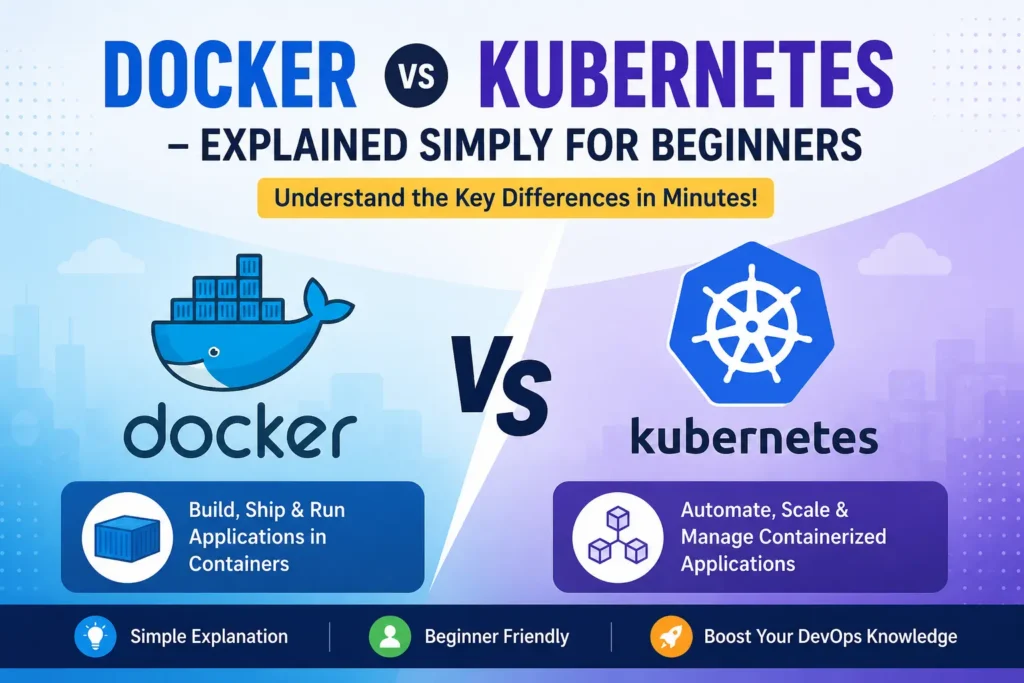
If you are starting a career in DevOps or cloud computing, you have probably heard two names again and again: Docker and Kubernetes. You see them together in job descriptions, in YouTube tutorials, and in every DevOps roadmap. So it feels like you must choose one over the other.
Here is the truth in one line: Docker packages your application into a container, and Kubernetes runs and manages many of those containers across multiple machines. They are not competitors. In fact, most companies in 2026 use both together.
This guide explains Docker vs Kubernetes for beginners in plain English, using simple examples. By the end, you will know exactly what each tool does, how they work together, which one to learn first, and what the career scope looks like in Bangalore.
Docker vs Kubernetes in One Line
- Docker = a tool to build and run a container (one app, packed with everything it needs).
- Kubernetes = a system to manage and scale many containers automatically across many servers.
Think of it this way: Docker builds the box. Kubernetes manages a warehouse full of those boxes. You need Docker first to create containers, and Kubernetes later when you have so many containers that managing them by hand becomes impossible.
What Is Docker? (Explained Simply)
Imagine you cook a meal at home and want to carry it to the office. You pack the food, spoon, napkin, and everything you need into a single lunchbox. No matter where you open that lunchbox — office, park, or a friend’s house — the meal is exactly the same.
Docker is that lunchbox for software.
When developers build an app, it needs many things to run: the code, a specific programming language version, libraries, and settings. Docker packs all of this into a single unit called a container. That container then runs the same way on any computer — your laptop, a test server, or a cloud platform like AWS or Azure.
This solves the most famous problem in software: “But it works on my machine!” With Docker, if it works in the container, it works everywhere.
A few simple Docker terms you will hear:
- Dockerfile — a small text file with instructions on what to pack (like a recipe).
- Image — the finished blueprint created from the Dockerfile (like a sealed, ready-to-ship lunchbox).
- Container — a running copy of that image (the lunchbox actually opened and in use).
Docker is beginner-friendly. The setup is quick, the commands are simple, and you can build your first container in a single afternoon.
What Is Kubernetes? (Explained Simply
Now imagine you do not run one lunchbox — you run a canteen that serves 10,000 people a day. You need someone to decide how many meals to prepare, restock when food runs out, throw away spoiled items, and add extra counters when a lunch-hour rush arrives.
Kubernetes is that canteen manager for containers.
One Docker container is easy to handle. But a real company might run hundreds of containers — one for the website, one for payments, one for login, one for the database, and so on. Managing all of them by hand, across many servers, is a nightmare.
Kubernetes (often written as K8s) automates this. It was originally built at Google and is now the industry standard for running containers at scale. Here is what it does for you automatically:
- Scaling — During a big sale, it adds more containers to handle the traffic, then removes them when things calm down.
- Self-healing — If a container crashes, Kubernetes restarts it in seconds, without anyone waking up at 2 AM.
- Load balancing — It spreads incoming traffic evenly so no single container gets overloaded.
A few Kubernetes terms to know:
- Pod — the smallest unit, usually holding one container.
- Cluster — a group of machines that Kubernetes manages together.
- Node — a single machine (server) inside the cluster.
Kubernetes is powerful, but more complex. That is why the order in which you learn matters — more on that below.
Docker vs Kubernetes: Key Differences
Here is a quick side-by-side comparison to make the difference clear.
| Point | Docker | Kubernetes |
| Main job | Builds and runs containers | Manages and scales many containers |
| Best for | Packaging one app | Running apps across many servers |
| Learning curve | Easy — good for beginners | Harder — needs container basics first |
| Setup time | Minutes | Hours to days |
| Scaling | Manual (or basic with Docker Swarm) | Automatic |
| Self-healing | No | Yes |
| Analogy | The lunchbox | The canteen manager |
Short version: Docker helps you build. Kubernetes helps you scale.
How Docker and Kubernetes Work Together
This is the part most beginners miss. Docker and Kubernetes are not rivals — they are teammates at different layers of the same stack.
Here is the real-world workflow used by most companies today:
- Developers use Docker to build container images for each part of the app (website, API, login, etc.).
- These images are stored in a registry (like Docker Hub).
- Kubernetes pulls those images and deploys them across a cluster of servers.
- Kubernetes then handles scaling, restarts, and traffic balancing.
A real example: Picture an online store during a big festival sale. On a normal day, Kubernetes might run 3 copies of the website. When sale traffic spikes, it automatically scales up to 20 copies to keep the site fast, then scales back down after the rush. If the payment container crashes mid-sale, Kubernetes restarts it within seconds — no lost customers, no manual work.
For local development on their own laptops, the same team usually runs the containers with Docker Compose (a simpler tool for a single machine). The most common 2026 pattern is: Docker Compose locally, Kubernetes in production. The container images stay identical — only the management layer changes.
Should You Learn Docker or Kubernetes First?
Learn Docker first. Always.
Here is why the order matters:
- Kubernetes runs Docker containers. If you do not understand what a container is, how images are built, or how a container behaves, then Kubernetes concepts like pods, deployments, and services simply will not make sense. Kubernetes assumes you already know containers.
- Time investment. Docker takes roughly 2 to 3 weeks to learn the basics. Kubernetes takes 2 to 3 months. Starting with Docker gives you quick wins, builds confidence, and lets you ship real containerized projects before tackling the harder material.
- You get job-ready faster. Many entry-level roles ask for solid Docker skills. You can start applying and building projects with Docker alone, then layer Kubernetes on top.
The smart path most professionals follow:
Linux basics → Docker → Kubernetes → Cloud (AWS/Azure)
Master one layer before moving to the next. Skipping ahead to Kubernetes without Docker is the number one reason beginners get stuck and give up.
Docker & Kubernetes Career Scope in Bangalore
Bangalore is India’s biggest tech hub, and container skills are in serious demand here. Companies across Whitefield, Electronic City, Koramangala, and Manyata Tech Park hire regularly for DevOps and cloud roles — and almost every one of those job descriptions lists Docker and Kubernetes.
Here is a rough salary picture for DevOps engineers in Bangalore (skills like Docker and Kubernetes directly push you up these bands):
- Junior / fresher: ₹6–10 LPA
- Mid-level: ₹10–18 LPA
- Senior: ₹18 LPA and above
The reason demand is so high: nearly every modern company is moving to the cloud, and containers are the backbone of cloud-native systems. According to the CNCF, the large majority of organizations are now using or evaluating Kubernetes in production. That means engineers who understand both tools — plus a cloud platform like AWS — are exactly what employers are searching for.
If you want to move from “I know what these tools are” to “I can get hired for this,” structured, hands-on training with real projects makes the difference. A good DevOps training in Bangalore will take you through Docker and Kubernetes step by step, on live labs, the way companies actually use them.
Your Learning Roadmap (Beginner to Job-Ready)
If you are starting from zero, follow this order. Each step builds on the last:
- Linux fundamentals — Containers run on Linux, so start here. Learn basic commands, files, and networking. Our Linux training in Bangalore covers exactly what you need before Docker.
- Docker — Build and run containers, work with images and Dockerfiles, and containerize a small project like a web app.
- Kubernetes — Once Docker feels comfortable, move to clusters, pods, and scaling. Practice locally with Minikube or Docker Desktop.
- Cloud (AWS or Azure) — This is where it all pays off. Deploy your containers to the cloud and manage them at scale. Our AWS course in Bangalore connects containers to real cloud infrastructure.
Follow this path and you go from complete beginner to job-ready with a portfolio of real projects — the kind that gets you shortlisted.
Ready to start? Explore all our IT courses in Bangalore with hands-on labs, certification, and placement support.
Frequently Asked Questions
Is Kubernetes replacing Docker? No. They do different jobs. Kubernetes manages containers, and Docker builds them. Kubernetes can use Docker (or other runtimes) to run containers, so they work together rather than replacing each other.
Can I learn Kubernetes without Docker? Technically yes, but it is a bad idea. Kubernetes concepts assume you already understand containers. Learning Docker first makes Kubernetes far easier to grasp.
Is Docker enough to get a job? Docker alone can help you land entry-level and junior DevOps roles, especially with a couple of projects. But adding Kubernetes and a cloud platform like AWS significantly increases your salary and opportunities.
How long does it take to learn Docker and Kubernetes? Docker basics take about 2 to 3 weeks. Kubernetes takes about 2 to 3 months. With structured training and daily practice, you can become job-ready in a few months.
Which should I learn first, Docker or Kubernetes? Docker first, without question. It is simpler, gives you quick wins, and forms the foundation that Kubernetes is built on.
Want to master Docker, Kubernetes, and cloud computing with hands-on labs and placement support? Talk to Fast Learning Technologies and start your DevOps career in Bangalore today.